Green sorting · Dry sorting · Planing
The right board in the right bin.
SortIQ controls, monitors and follows up the sorting in your sawmill.
SortIQ is a sorting-line management system for sawmills — an MES (Manufacturing Execution System) for the sorting line, not a plant-wide one. It runs green sorting, dry sorting and planing lines, one installation per line and the same interface on every one: sorting programs and instructions are sent directly to the line’s PLC, and production, machine status and alarms are registered in real time, so the line is steered, watched and followed up in the same place.
Control the line
Sorting programs and instructions straight to the PLC.
Monitor in real time
Production, line status and stops — live from the line.
Follow up
Statistics per shift, dimension and grade — and the stop time behind them.
What that means day to day
In the control room
- A browser is enough Adding a station is easy, and the reports come out straight from an office computer.
- Made to be touched Simple, clear and touch-friendly on the touchscreen stations out by the line.
- Views you decide Every station builds its own workspace — the panels stay where you put them.
- The live view Watch the line while it runs. Troubleshooting starts with seeing what is happening.
In planning
- Several run orders at once You are not locked to one at a time.
- Several sort tables in one run order Split the order the way production actually looks.
- Classes you reuse Dimension, length, quality, bin sorting, bin lowering and bin emptying are defined once — fix it in one place, not in every sort.
- The emptying queue in hand Reorder the queue, pause emptying, or let the PLC top it up automatically.
When something goes wrong
- The network can drop The boards buffer in the PLC and are read back automatically on reconnect — with no line stop.
- Every board has an ID A unique board ID, linkable to the scanner’s own. A board stays traceable long after it left the line — invaluable when a complaint lands.
- Stop time you can act on Every stop is classified by reason and OEE type — availability is calculated in the stop time report, the foundation for full OEE.
- No stop is forgotten A configurable limit for how many unhandled stops are allowed before the line is halted.
- Alarms stay put Every alarm is read from the PLC and stored in SortIQ, so the history is there for follow-up and statistics.
Built for everyone at the mill
Production managers and owners get traceable numbers per shift, dimension and grade — and the stop time behind them. Operators get a fast, clear interface made for the control room: the people who work in the system every day, and whose word carries weight when the mill chooses one.
See it in action
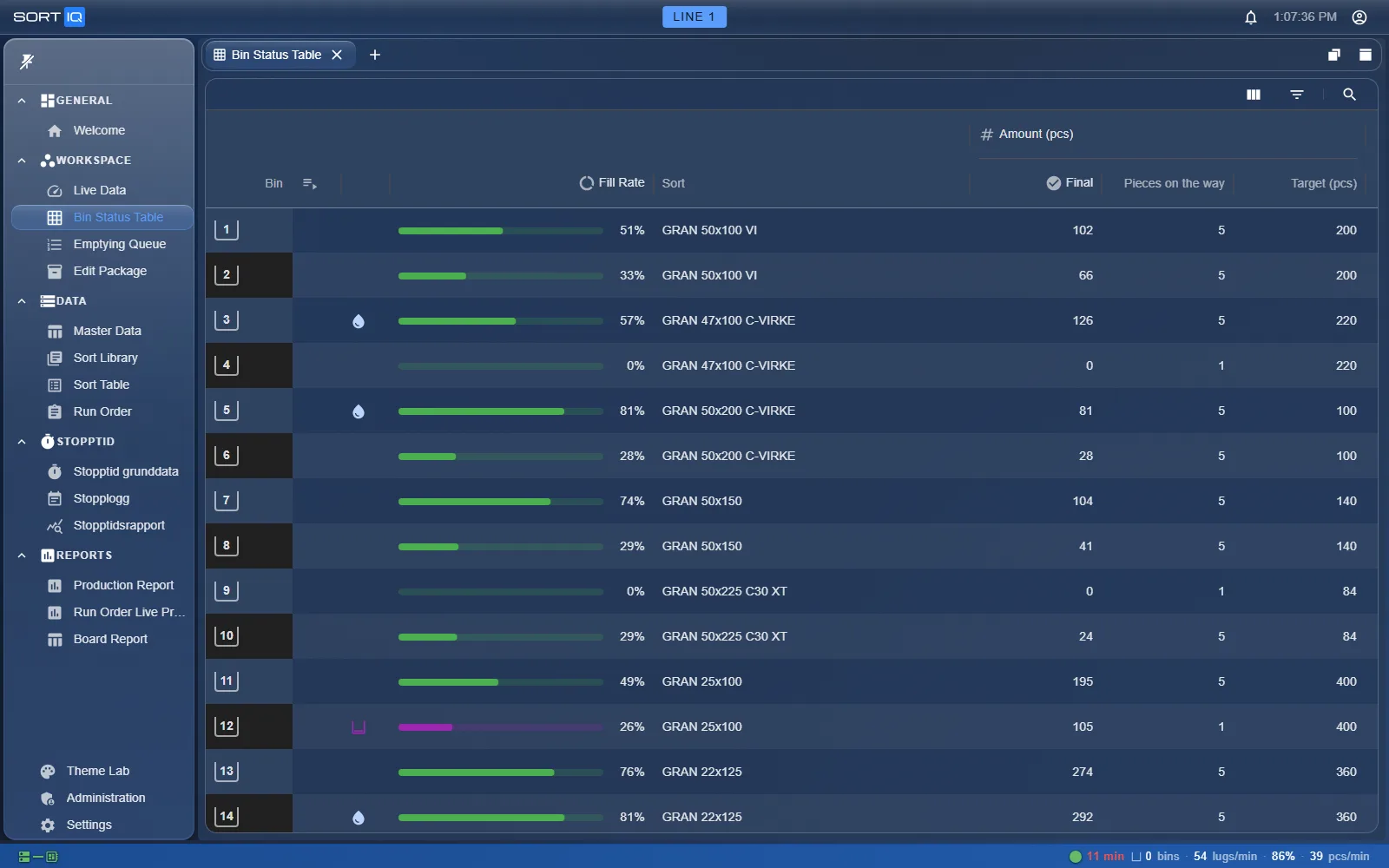
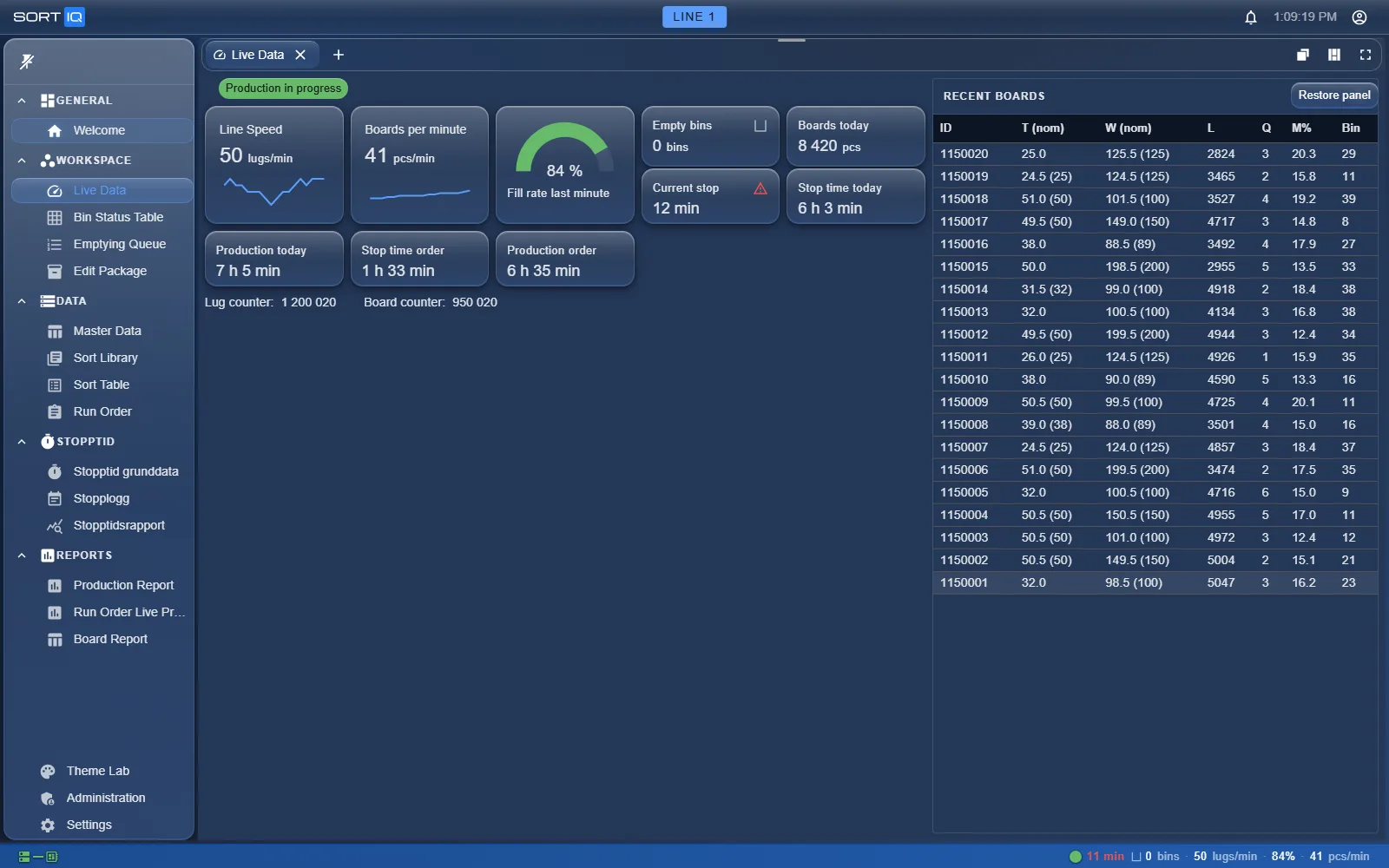
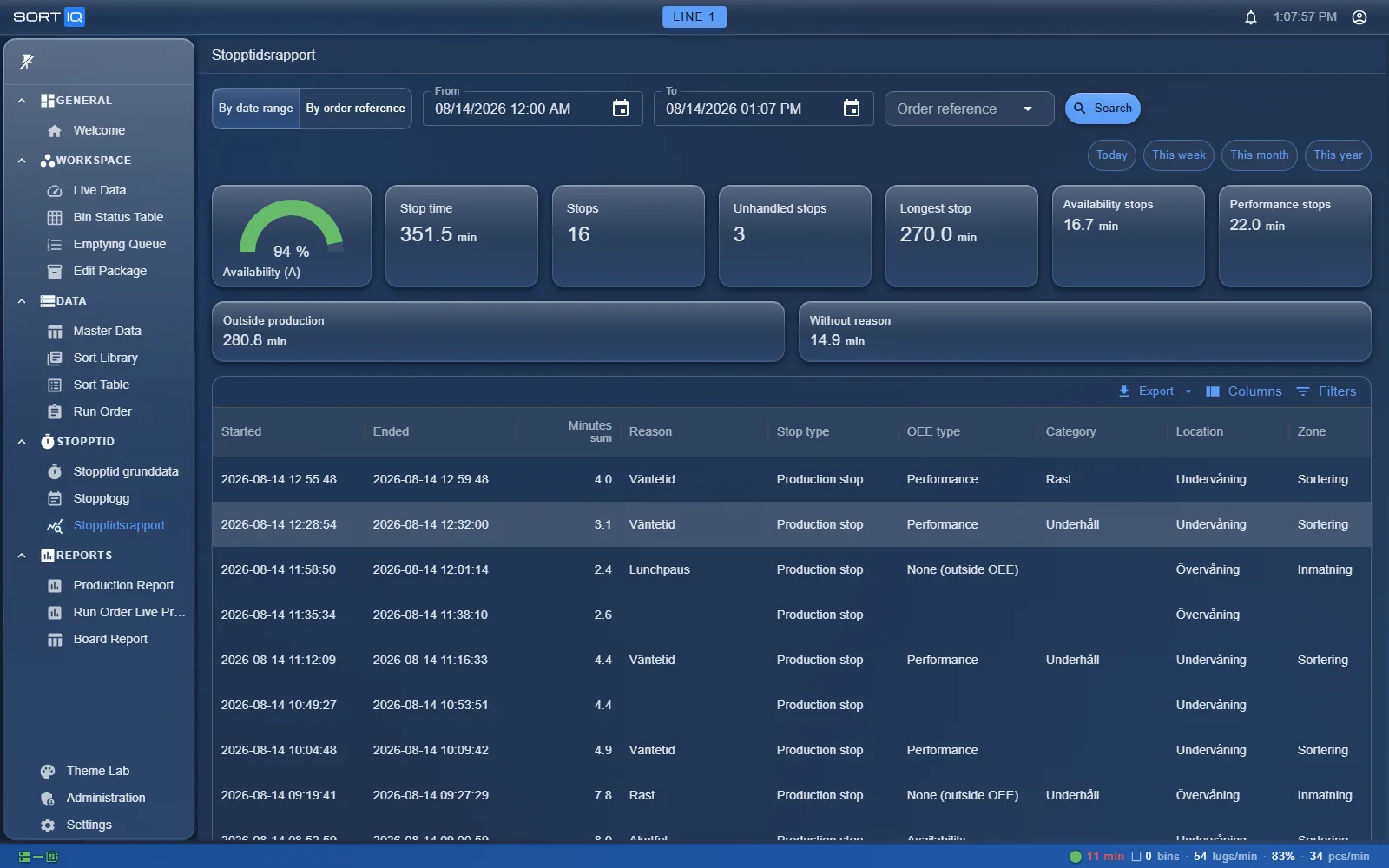
SortIQ runs on-site, on the mill’s own network — the same system and the same numbers on the control-room screen and on the office desk, with no dependency on an internet connection.
Developed jointly by Nolyx and Loginor


Frequently asked questions
Which system should I choose for my green sorting line?
Look for direct PLC integration, real-time monitoring, statistics per shift, dimension and grade, and an interface your operators actually want to use. SortIQ was built for exactly this: it manages green sorting, dry sorting and planing lines, sends sorting programs directly to the PLC and reports production, stops and statistics in real time.
What does SortIQ do?
SortIQ manages the sorting lines in a sawmill. Engineers configure sorting programs and bin layouts, operators run the line and see live production and status, and managers follow up production statistics and stop time per shift, dimension and grade.
Is SortIQ an MES (Manufacturing Execution System)?
Yes — for the sorting line. SortIQ does what an MES does at ISA-95 level 3: run orders come in from the mill’s business system, sorting programs and instructions are dispatched to the line’s PLC, production, stops and alarms are collected in real time, every board gets a traceable ID, and finished packages are reported back. The exchange with the business system is file-based and set up per mill. What it is not is a plant-wide MES: each line runs its own installation, with no layer above them tying the mill together, and there are no modules for maintenance work orders, quality management, document control, or personnel and resource planning. The scope is the sorting line — not the saw line or the kilns. SortIQ sits between the mill’s business system and the line’s PLC, and is built to work alongside the systems you already have.
Which sawmill lines does SortIQ support?
Green sorting, dry sorting and planing lines. Each line gets its own SortIQ installation — the system is built for one line at a time, not as a layer above several — and the interface is the same on all of them, so what an operator learns on one line carries straight over to the next.
Which PLCs does SortIQ integrate with?
SortIQ communicates with Siemens S7-1500 PLCs over OPC UA. Sorting instructions go out to the line; alarms and production data come back in real time.
Does SortIQ run in the cloud or on-site?
On-site. SortIQ is installed on a server at the mill and runs on your own network, so the line does not depend on an internet connection.
What happens if the network between SortIQ and the PLC drops?
Production keeps running. The boards are buffered in the PLC while the connection is down, and when it comes back they are read into SortIQ automatically — without stopping the line. How many boards the buffer holds is set in the PLC program and can be extended to suit the line.
Can several run orders be active at the same time?
Yes. SortIQ does not limit you to one run order at a time, and the same run order can hold several sort tables.
Can I trace an individual board afterwards?
Yes. Every board gets a unique board ID that can be linked to the scanner’s own ID, and the board data is kept, so an individual board can be followed up long after it passed the line — valuable when a complaint comes in.
Who develops SortIQ?
SortIQ is developed jointly by two Swedish companies: Nolyx and Loginor.
Can I see a demo?
Yes. Email nolyx@nolyx.se or info@loginor.se and we’ll set up a personal demo for you.
Book a demo
Email us and we’ll set up a demo for you.